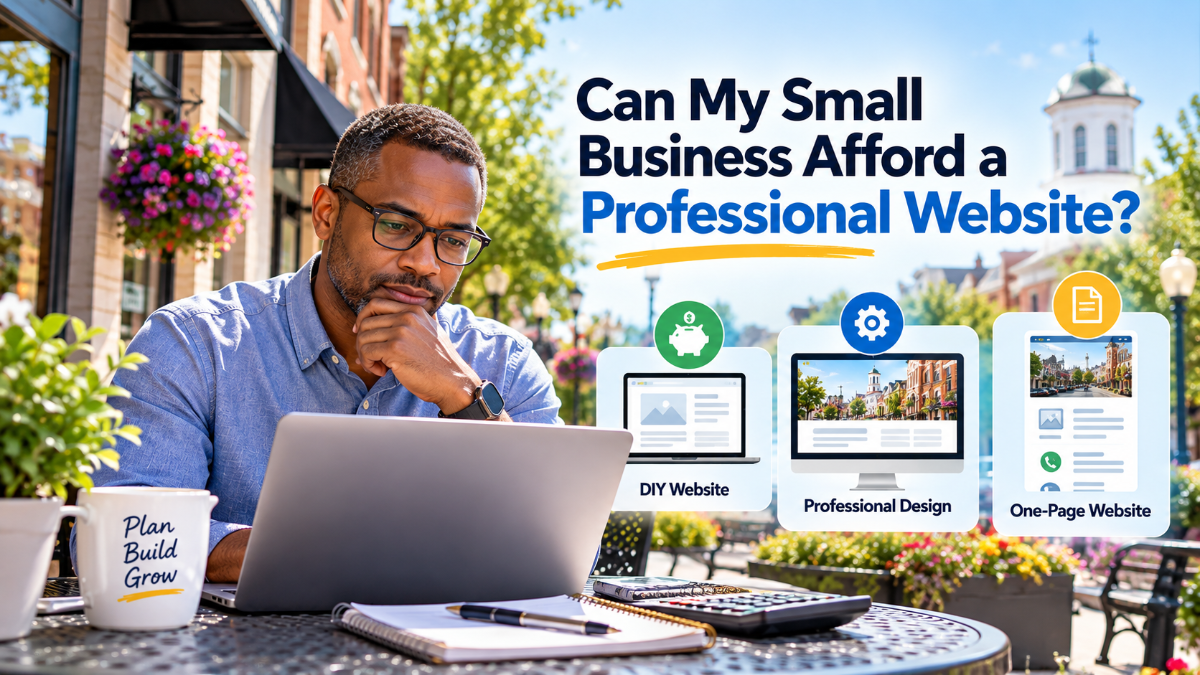
Can My Small Business Afford a Professional Website?
You’ve set up a business, created a customer base, or turned your idea into something you’re proud of; now you realize that you need a website.
The only issue is this: what will the cost be and will you be able to afford it?
You might have looked at various website builders which claim to offer a free website. You could have enquired among others and have received quotations that appear to be well over your budget. Or perhaps you’re thinking about whether you should wait until your business has grown before deciding to get a professional website.
These are reasonable questions, particularly if you want to get the most out of every dollar.
This is something I’ve picked up from working with small businesses: you don’t necessarily have to have a big website in order to make a professional impression. In some cases, all a business needs is a beautiful and well-thought-out one-page website to get off the ground.
At DJ WebDesigns I have suggested that clients think about going for a one-page website rather than spending money on multiple pages which they might never actually need. The aim is not to cut corners but to direct their budget towards what is most important to both their business and their customers.
Let us consider your options and think about how to work out which one is right for you.
How Much Does a Small Business Website Cost?
The cost of a small-business website depends on what you need, how much work is involved, and who builds it.
A simple website that introduces your business and provides contact information will usually cost less than a larger website with online payments, appointment booking, or a customer portal.
Read more here => How Much Does it Cost to Create a Website in 2026?
There are three typical choices.
Option 1: Build It Yourself
It is possible to create a website without hiring a designer using website builders and WordPress tools.
It could be a good option for people who have a small budget, are willing to take the time to learn it, and only require some basic features.
The price that is advertised does not necessarily include the entire cost, as you might also have to pay for a domain name, hosting, premium features, business email, or other services.
Your time matters, too.
The time you spend fixing, improving the layout, enhancing the look of your website, or figuring out why your contact form isn’t functioning is time you can’t spend reaching your customers or expanding your business.
Ideal for: Business owners who like learning new tools, as long as they have time to manage the project themselves.
Option 2: Hire a Professional Website Designer
A professional web designer can help you plan your website, organize your content, create a consistent design, and make it easier for visitors to find what they need.
Depending on your goals, your project might include:
- A homepage that makes it clear what you provide.
- Service information that answers customer questions.
- A contact form and visible contact information.
- A mobile-friendly layout.
- Basic search engine optimization (SEO).
- Guidance on website security, backups, and maintenance.
You’re paying not only for someone to make your website look good, but also for their experience, planning, technical skills, and time.
The right designer should explain what’s included, what costs extra, and what you’ll need to manage after launch.
Ideal for: Business owners who don’t want to handle all the technical details themselves and want a professional online presence.
Learn more about 5 Things I Learned While Building a Web Design Business in the Capital District
Option 3: Start With a One-Page Website
Here’s an option that business owners sometimes overlook: you may not need a traditional website with five, ten, or even twenty pages.
A well-designed one-page website brings your most important information together in a simple, easy-to-follow layout. People can learn about your business, explore the services you offer, understand what sets you apart, and find your contact details without switching from one page to another.
In my work with small businesses, I’ve recommended this approach when a client’s needs didn’t justify a larger website.
Instead of asking the client to pay to produce multiple pages with only a small amount of information, we might focus on a well-presented, professional layout that clearly shows the business.
A one-page website might include:
- An introduction that welcomes the reader and explains the nature of the business.
- A brief About section designed to build trust.
- A summary of the main services.
- Customer testimonials, where available.
- Details on how to contact us and a contact form.
- A clear call to action, such as requesting a quote or scheduling a consultation.
Everything has a purpose, and visitors can get what they need without unnecessary steps.
The advantage is that you can avoid paying for pages you don’t need right now while still having a professional website that properly represents your business.
A one-page website isn’t suitable for everyone. For instance, if you provide a range of services, require separate booking pages, run an online store, or wish to publish a large number of articles, having several pages might be more appropriate.
Choose a structure that supports your business rather than thinking that having more pages means you have a better website.
Ideal for: start-ups, self-employed individuals, consultants, small service businesses, and companies that have a specific message and offer only a limited range of services.
Learn more about the Benefits of a One-Page Business Website
What Does Your Business Actually Need?
Before requesting a quote from a web designer, pause and consider what you want your website to achieve.
Questions to consider: Do you want people to call you? Request estimates for services you provide? Book appointments for clients or customers? Learn about your services? Make donations to your nonprofit?
Your answer will help determine the size and features of your website.
Consider this example:
Suppose you run a home improvement business in the Capital Region; most of your customers discover you through recommendations, even though they usually visit your website before deciding whether to get in touch.
You don’t need online payments, a big online store, or dozens of pages.
A well-designed single-page website could be enough to introduce your business, summarize your services, show examples of your work, state the area where you provide services, and offer a simple way to request an estimate.
If you provide a number of specialized services, each with its own customers, questions, and requirements, separate pages for each service make it easier for visitors to find the information that matters to them and let you explain what you offer in more detail.
Although both businesses need a website, they don’t need the same structure.
Before deciding, ask yourself:
- How many services do I offer?
- Do customers need detailed information before contacting me?
- Will I regularly publish articles, news, or updates?
- Do I need online payments, booking, or other advanced features?
- Would a single page make my business clear, or would it seem crowded?
These questions will help you avoid paying for features and pages that don’t support your current goals.
The largest or most costly website isn’t necessarily the best; it is the one that helps customers understand your business and take the next step.
If your budget is limited, then what should your priorities be?
If you can’t afford all the features, you want right now, start with the basics.
1. A Clear Message
Visitors should quickly understand what your business does, who you help, and why they should consider contacting you.
Avoid vague headlines that could apply to almost any business; instead, use clear language that addresses your customers’ needs.
2. An Easy Way to Contact You
Make your phone number, email address, and contact form easy to find.
If your business relies on phone calls, make the number easy to tap on a mobile device. If you provide estimates, make it simple for visitors to request one.
3. A Website That Works on Mobile Devices
Many customers browse websites on their phones.
Pages must be easy to read, buttons easy to tap, and key information shouldn’t be hidden behind a confusing menu.
4. A Foundation for Search Visibility
The website should clearly explain your services and use language your potential customers can understand.
When serving a particular area, incorporate some relevant location information in a natural way. Make sure your Google Business Profile is up to date if your business is eligible.
You don’t need to pay for all SEO services when you first launch your website, but it still makes sense to design it with search visibility in mind.
A one-page website can also appear in search results, but if you’re targeting multiple services or search topics, separate pages may give you more room to cover each one in depth.
Learn more about => 5 Things I Learned While Building a Web Design Business in the Capital District
5. Security and Maintenance
You don’t build a website and then leave it alone.
WordPress sites require ongoing attention, including regular updates, backups, and security checks, and hosting and other services may also involve recurring costs.
Before you select a website solution, make sure you know the cost of keeping the site going after it has been launched.
Learn more about => website maintenance for your WordPress website.
This list provides you with a practical starting point; you can introduce additional features and pages once they prove useful to your business.
Are Free Website Builders Really Free?
Free website builders can be useful, especially when you’re testing a business idea or creating a simple online presence.
But you need to understand their limitations.
The free plan can restrict your domain name, show the company’s branding, offer less storage, or omit the features you need.
For instance, your website address could show the name of the builder rather than your own business domain. This may be acceptable for a temporary project, but it might not be the impression you want to make towards existing customers.
You might also be required to move to a paid plan if you want to use your own domain, accept payments, or make use of some of the marketing features.
Before choosing a free platform, ask yourself:
- Can I use my own domain name?
- Will the website appear professional when viewed on a phone?
- Is it easy for customers to contact me?
- Can I add the features I may need later?
- Can I move my website elsewhere if my needs change?
- How much will the total cost be when the free plan ends?
A free website isn’t necessarily a bad option; it just has to be the right choice for your current circumstances.
Learn more about => The Hidden Cost of “Free” Websites: A Local Business Guide
Is WordPress a good option for a small business?
Consider WordPress if you want to manage your website and expand it in the future.
You can use it to build a simple one-page business website, a larger multi-page website, a blog, an online store, or a website with appointment booking.
You can set up a WordPress website yourself, or you can hire a professional to do it.
The WordPress system doesn’t leave everything to chance. You’ll still need a hosting service, a domain name, and arrangements for updates, backups, and security. Additionally, some themes, plugins, and advanced features cost extra.
The benefit is flexibility. You can start with what you need today and add features as your business changes.
For most small businesses, the goal isn’t to use every feature available but to build a website that is easy to manage and useful to customers.
Learn more about => Why is WordPress Better than Wix for Small Business Websites?
How can you tell whether it is worth hiring a web designer?
Hiring a web designer may be worth considering when:
- You’re spending too much time trying to build or fix your website.
- Your current website doesn’t reflect the standard of your business.
- Customers have difficulty finding your services or your contact details.
- You need features you don’t know how to set up.
- You want help with mobile design, accessibility, or search visibility.
- You need someone to explain your options and help you avoid costly mistakes.
That doesn’t mean every business needs a custom-built website or an expensive redesign.
Sometimes it is a better investment to improve an existing website; other times it makes more sense to start from scratch; and sometimes a well-designed one-page website is the most sensible way to begin.
A good web designer should help you understand the difference and recommend an approach that fits your goals and budget.
Be cautious of anyone who promises a set number of leads or guaranteed Google or search engine rankings just because they want you to hire them. A website can support your marketing, but results also depend on your market, competition, offer, and how you attract potential customers.
Learn more about => How to Choose the Best Web Designer for Your Capital Region Business
What questions should you ask before you hire a web designer?
Getting a website quote can feel overwhelming if you’re not familiar with the process.
You don’t need to understand all the technical details, but you do need to know what you’re paying for.
Before agreeing to a project, ask these questions:
- What’s included in the price? Find out how many pages, design revisions, forms, and other features are covered.
- Do I really need multiple pages? Ask whether a one-page website could meet your current needs.
- Are domain registration and hosting included? If not, ask what they’ll cost and who will manage them.
- Should my website work on phones and tablets? If yes, mobile usability must be included in the plan.
- Should the website be set up with basic SEO in mind? Instead, ask what this entails rather than assuming that all SEO services will be included.
- Who has ownership of the website? Make sure you understand how you’ll access your website, domain, hosting, and content.
- What happens after launch? Ask about training, maintenance, support, and any recurring fees.
- Can I add more features and pages later? Find out whether the website can grow with your business.
Compare proposals based on what they include, not just the final price.
A low quote might exclude services you’ll have to pay for separately, while a high quote might include features you don’t need at this stage.The goal is to understand the full cost and choose the best fit for your business.
Learn more about => What Services Do Website Designers Provide?
Frequently Asked Questions
You Don’t Have to Do Everything at Once
To run a small business, you have to decide where your money, time, and attention will have the most impact.
Include the website in the plan, but don’t let it become a source of unnecessary stress.
Start with what your business needs today. Make sure customers can understand your services, find important information, and contact you.
If a one-page website can do that well, you may not need to spend money on a larger website yet. If your business needs more room to explain its services or reach different audiences, a multi-page website may be the better investment.
The important thing is to make an informed decision.
You don’t have to pay for a bigger website than your business needs. You need a website that works for your business today and gives you a sensible path to grow tomorrow.
Need Help Deciding What Your Website Needs?
At DJ WebDesigns, I help small businesses and nonprofit organizations build and improve WordPress websites that fit their goals and budgets.
If you’re unsure whether a one-page website, a multi-page website, or improvements to your existing site make the most sense, let’s start by understanding what your business actually needs.
Get a free 60-second Website & Local SEO Audit to identify areas that may need attention and help you decide what to prioritize.
You don’t have to pay for every possible feature. You only need a clear plan for what will help your business move forward.