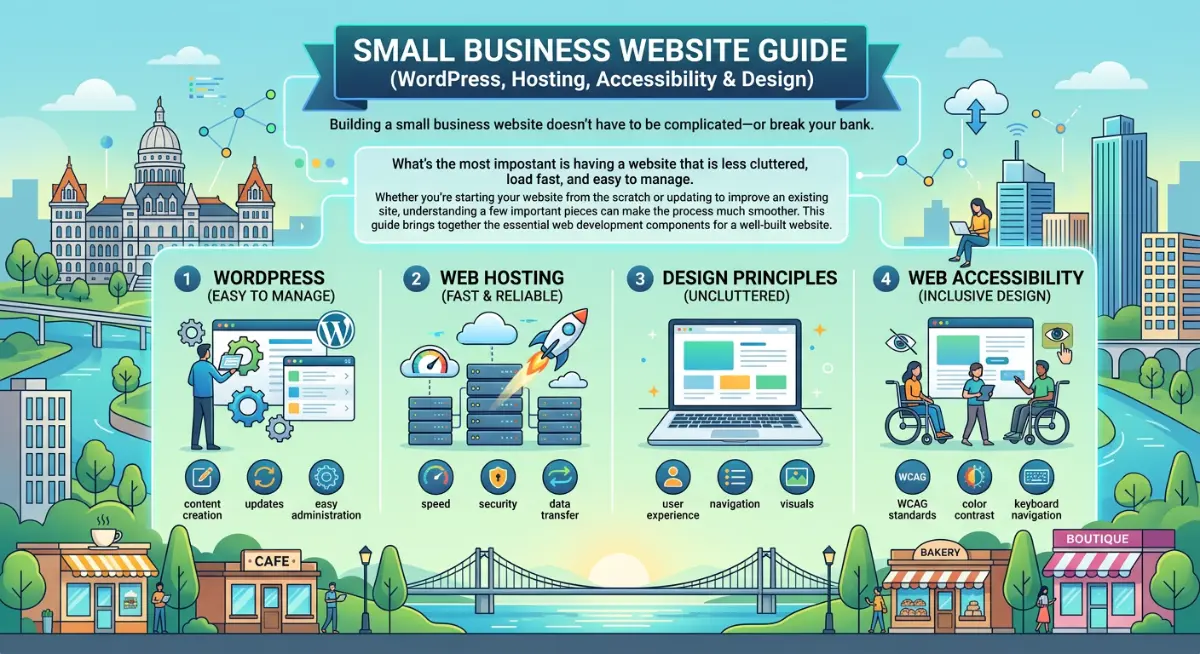
Small Business Website Guide (WordPress, Hosting, Accessibility & Design)
Building a small business website doesn’t have to be complicated—or break your bank.
What’s the most impostant is having a website that is less cluttered, load fast, and easy to manage. Whether you’re starting your website from the scratch or updating to improve an existing site, understanding a few important pieces can make the process much smoother.
This guide brings together the essential web development components for a well-built website.
1. Start With the Right Foundation (WordPress + Theme)
Most small business websites benefit from using WordPress, a popular and flexible platform that allows businesses and organizations to grow over time without being locked into a rigid templating system.
Pairing WordPress with a lightweight theme like Kadence Theme has been a game changer that makes it easier to build clean, professional pages without unnecessary complexity.
→ Read more:
How Kadence Helps Build Affordable Small Business Websites
Kadence for Small Business WordPress Websites
2. Keep the Website Simple and Clear
Even if you’re not looking for a multi-pages website, a strong small business website usually focuses on just a few things:
- what you offer
- who you serve
- how to contact you
In many cases, a streamlined structure (even a single-page layout) works better than a large, complex site.
Clarity tends to outperform complexity—especially for local service businesses.
3. Choose the Right Hosting
Your hosting provider affects your website’s speed, reliability, and long-term stability.
Most small businesses do well starting with shared hosting. As traffic grows, upgrading to cloud hosting can provide more flexibility and performance.
→ Read more:
Web Hosting Explained for Small Business Websites
4. Build With Accessibility in Mind
Accessibility helps ensure your website works for as many people as possible.
This includes:
- readable text
- clear structure
- mobile-friendly layouts
- keyboard navigation
Starting with an accessibility-friendly foundation makes your website easier to use—and easier to maintain.
→ Read more:
Choosing an Accessible WordPress Theme for Your Website
5. Focus on Long-Term Maintainability
A good website isn’t just about how it looks on launch day. It should also be:
- easy to update
- stable over time
- scalable and adaptable as your business grows
Using a clean WordPress framework, modern tools, and clear structure helps reduce future costs and headaches.
6. When You Just Need a Quick Fix
Even the best websites need occasional maintenance. You might need to update a page, fix a minor glitch, or tweak a design element—but you don’t want to commit to a massive project. That’s where on-demand support helps.
If your site runs on WordPress, I’m here to handle those small updates and repairs, keeping your site running smoothly without the headache.
- Need a hand? Read more about WordPress Help for Small Business Websites
- Planning something bigger? Explore my full service options and projects